5 Rosetta for Linux Docker feature on Apple Silicon Macs
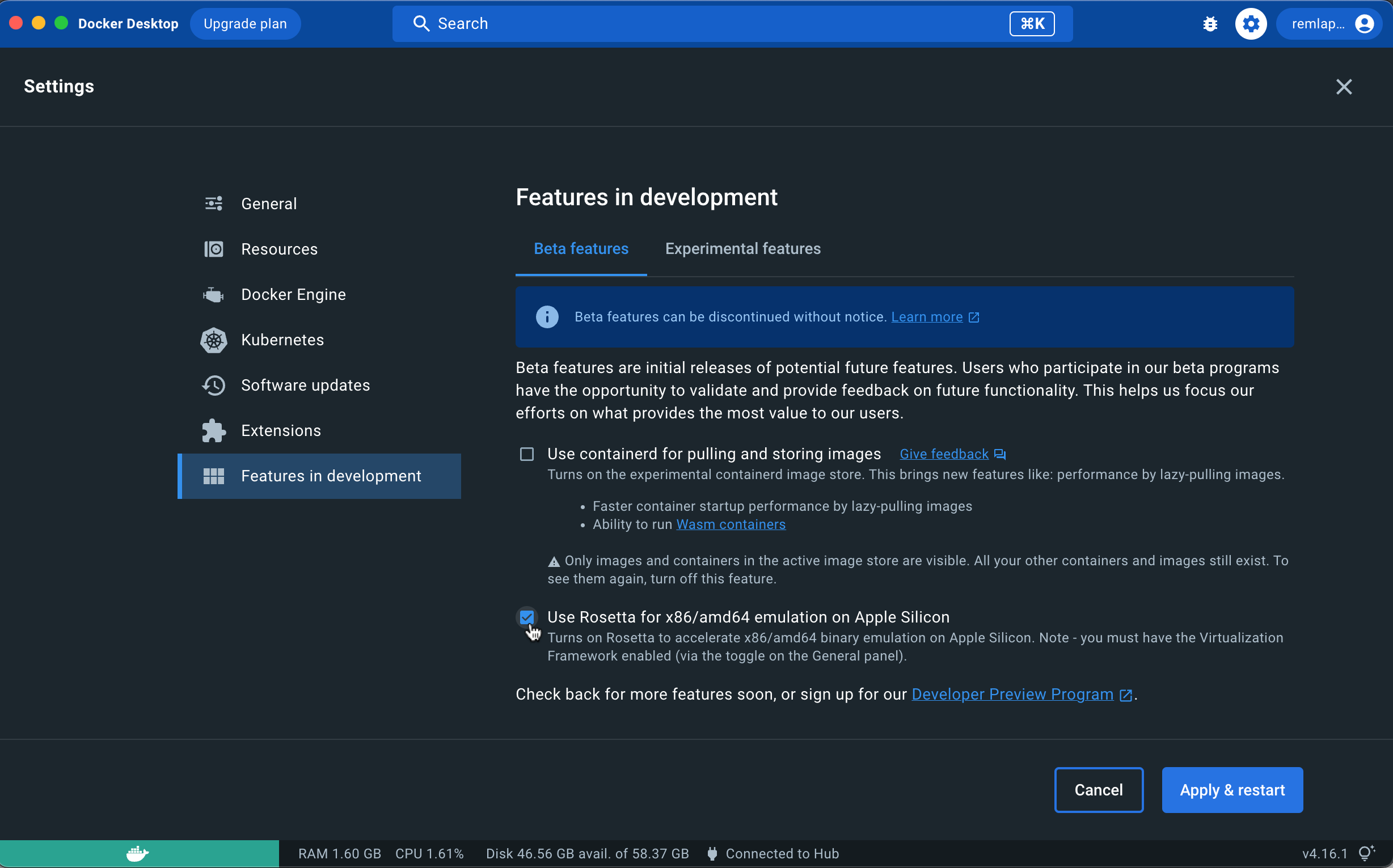
If you have an Apple Silicon Mac if you enable the Rosetta for Linux beta feature in Docker the OpenSAFELY Docker containers will run faster on your machine.
To enable this
Make sure you have Docker version 4.16.0 or higher installed
Open the Docker dashboard and go into Settings (click the cog icon in top right hand corner)
Go to Features in development and within that the Beta features tab
Check the box for Use Rosetta for x86/amd64 emulation on Apple Silicon
Click Apply & restart