Five tips for managing your R-universe 🚀
Introduction
rOpenSci’s R-universe system is an open source platform allowing users to create their own CRAN-like universe of R packages.
It is absolutely fantastic. It is particularly useful in one area I research, Mendelian randomization (at the interface of Epidemiology and Genetic Epidemiology), because a lot of the packages are GitHub/GitLab-only.
Therefore, I setup and maintain https://mrcieu.r-universe.dev/ to include both packages from our MRCIEU GitHub organisation (from the MRC Integrative Epidemiology Unit at the University of Bristol, UK), and as many of the GitHub-only packages for Mendelian randomization I could find.
It is difficult to overstate how useful this is. For the first time, not only do researchers have a list of the Mendelian randomization packages in one place but they can install binaries - without having to go through the hassle - especially on (Ubuntu) Linux - of remotes::install_github(). Researchers can also see how often packages are updated and R-universe checks for changes in packages approximately every hour, keeping it always up to date.
This post gives five tips I have developed to help manage my R-universe.
Tip 1: Referring to a package from a pull request instead of from a branch on a fork
In the Mendelian randomization field many of these GitHub-only packages are not well written or abandoned once the PhD student/researcher leaves. Often when I add a package to our R-universe I find that their build fails, or they have R CMD check errors and warnings, or after several months their build fails because they are not maintained. I sometimes look into the failed builds and check problems. If it’s clear just a few fixes are required to rectify the situation I often open a pull request. Often that pull request is not responded to.
Previously, for such cases I would switch the source of the package entry in packages.json to be from the relevant branch on my fork. However, I have always felt a bit uneasy about this. I wondered if GitHub had a way to refer to the pull request branch without having to switch the repository. It turns out that it does. The format of pull request branch names is refs/pull/{number}/head where {number} is the number assigned once the PR is opened. Therefore, when I open a PR on a package I now add the "branch" field to the package entry in packages.json as follows.
  {
    "package": "GWASBrewer",
    "url": "https://github.com/jean997/GWASBrewer",
    "branch": "refs/pull/18/head"
  },
I switch back to the default branch if the PR is merged.
Tip 2: Justfile recipe for adding a package to packages.json
I regularly find that I need to add or remove a package. Manually editing the packages.json file is not hard, but I have found the following Justfile (Just is like Make, but specifically designed for running commands and has a much friendlier syntax) recipes helpful for doing this quickly.
These recipes require
uv and just to be installed and on your PATH (uv automatically installs the required version of Python and creates/destroys/manages any required virtual environments). To use them, copy them into a text file named justfile at the top level of your R-universe registry repository and follow the instructions.
This recipe adds a package to your packages.json in alphabetical order. It has one required argument and 3 optional arguments.
# add a package entry to packages.json in alphabetical order
[arg("branch", short="b")]
[arg("pkgname", short="p")]
[arg("subdir", short="s")]
add url pkgname="" branch="" subdir="":
    #!/usr/bin/env -S uv run --python 3.14 python3
    import json, re, sys
    url = "{{ url }}"
    if re.fullmatch(r'[^/]+/[^/]+', url):
        url = f"https://github.com/{url}"
    pkgname = "{{ pkgname }}" or url.rstrip("/").split("/")[-1]
    branch = "{{ branch }}"
    subdir = "{{ subdir }}"
    with open("packages.json") as f:
        packages = json.load(f)
    if any(p["package"] == pkgname for p in packages):
        print(f"Error: '{pkgname}' already exists in packages.json", file=sys.stderr)
        sys.exit(1)
    entry = {"package": pkgname, "url": url}
    if branch:
        entry["branch"] = branch
    if subdir:
        entry["subdir"] = subdir
    packages.append(entry)
    packages.sort(key=lambda p: p["package"].lower())
    with open("packages.json", "w") as f:
        json.dump(packages, f, indent=2)
        f.write("\n")
    print(f"Added {pkgname}")
Where url is say https://github.com/MRCIEU/TwoSampleMR, except that for GitHub packages you can specify this as MRCIEU/TwoSampleMR.
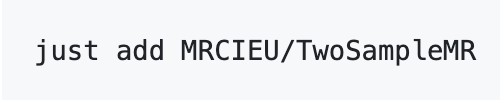
To add a GitHub package whose name matches its repository name, simply run
just add username/reponame
You can inspect the recipe’s arguments and options with
just --usage add
Usage: just add [OPTIONS] url

Arguments:
  url

Options:
  -p pkgname [default: ""]
  -b branch [default: ""]
  -s subdir [default: ""]
The 3 optional arguments allow you to specify the package name (-p pkgname), branch (-b branchname), or subdirectory (-s subdirectory) the package is in. For example, to add a GitHub package whose package name does not match its repository name run
just add username/reponame -p pkgname
Tip 3: Justfile recipe for removing a package from packages.json
This recipe removes a package from your packages.json.
# remove a package entry from packages.json
remove pkgname:
    #!/usr/bin/env -S uv run --python 3.14 python3
    import json, sys
    pkgname = "{{ pkgname }}"
    with open("packages.json") as f:
        packages = json.load(f)
    filtered = [p for p in packages if p["package"] != pkgname]
    if len(filtered) == len(packages):
        print(f"Error: '{pkgname}' not found in packages.json", file=sys.stderr)
        sys.exit(1)
    with open("packages.json", "w") as f:
        json.dump(filtered, f, indent=2)
        f.write("\n")
    print(f"Removed {pkgname}")
Run it with
just remove pkgname
Tip 4: Justfile recipe for checking packages.json is valid
When manually editing packages.json it is very easy to forget a comma or to miss a closing bracket or quotation mark. This recipe checks your JSON is valid.
# check packages.json
check:
    uv run --python 3.14 -m json.tool packages.json > /dev/null && echo "JSON check passed"
Run it with
just check
Tip 5: Conveniently view a package’s dependencies
Knowing a package’s full strong dependency list is useful — for example, when a breaking change somewhere in the chain causes unexpected build failures. While there are several ways to determine this in R, R-universe shows you the full list immediately.
Navigate to the R-universe page for the package you are interested in, say https://mrcieu.r-universe.dev/TwoSampleMR and click the dependencies pill.

It expands showing the full dependency list.

Summary
In summary, I have shown five tips I find useful to manage a large R-universe.

Tom Palmer
Senior Lecturer in Biostatistics applied to Genetics
My research interests include statistical methods for epidemiology.